
Quick Summary: To unclog an exhaust fan fast, turn off power, remove the cover, clean dust and debris from the fan blade and housing using a vacuum and brush, lubricate the motor if needed, reassemble, and test. This simple process restores airflow and efficiency quickly.
Is your bathroom or kitchen exhaust fan struggling to clear out steam, odors, or stale air? A clogged exhaust fan is a common household annoyance that can lead to moisture buildup, mold growth, and unpleasant smells. Don’t worry, fixing it is usually much simpler than you think! We’ll walk you through the straightforward steps to get your exhaust fan working like new again, fast. This guide is designed for beginners, making it easy and safe to tackle this essential home maintenance task and restore your home’s air quality.
Why Your Exhaust Fan Gets Clogged
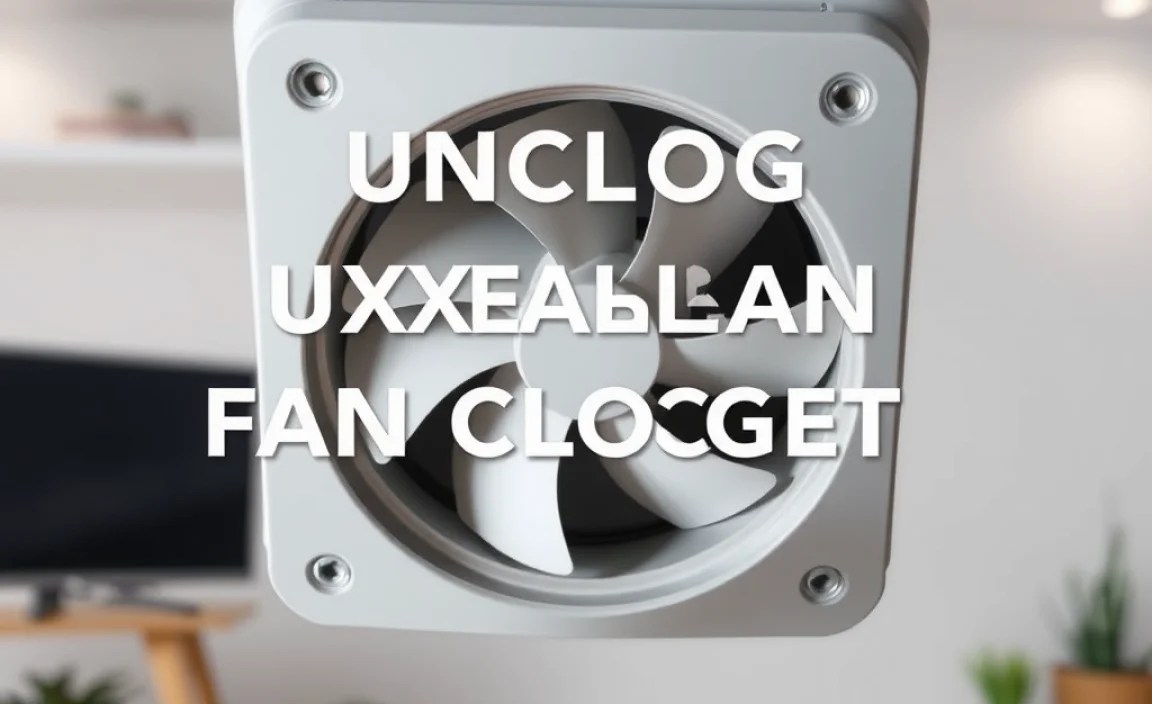
Over time, exhaust fans inevitably attract dust, lint, hair, and other tiny particles that float around in the air. Think of your exhaust fan as a helpful vacuum cleaner for your home’s air, but instead of collecting debris in a bag, it traps it on its fan blades and within its housing. This buildup acts like gunk in a drain, slowing down the fan’s motor and significantly reducing its ability to move air. Without proper airflow, moisture lingers, potentially causing damage and promoting mold. Regular cleaning is key to preventing these issues and ensuring your fan works efficiently to keep your home fresh and healthy. Without good ventilation, problems like:
- Increased humidity levels
- Mold and mildew growth
- Lingering odors
- Damage to paint and drywall
- Reduced air quality
can set in. Fortunately, unclogging one is a straightforward DIY task that doesn’t require a handyman. Let’s get your fan back to its efficient best!
Essential Tools and Materials You’ll Need

Before we dive into the steps, gather these simple tools. Having everything ready will make the process smooth and efficient, ensuring you can unclog your exhaust fan fast. You probably have most of these items around your house already!
- Screwdriver Set: You’ll likely need a Phillips head screwdriver to remove the fan cover and possibly the fan motor assembly.
- Vacuum Cleaner with Hose and Brush Attachment: This is your primary tool for removing loose dust and debris.
- Soft Brush or Old Toothbrush: For getting into tight spots and dislodging stubborn dust.
- Damp Cloth or Sponge: For wiping down surfaces.
- Gloves (Optional but Recommended): To keep your hands clean.
- Safety Glasses (Recommended): To protect your eyes from falling dust.
- Light Lubricant (e.g., WD-40, 3-in-One Oil) – If Needed: For squeaky motors.
- Ladder or Step Stool: To safely reach the fan.
- Trash Bag: To collect the dust you remove.
Step-by-Step Guide: How to Unclog Your Exhaust Fan Fast

Follow these simple, actionable steps to get your exhaust fan running smoothly again. Safety first, always ensure the power is off before you begin!
Step 1: Safety First – Turn Off the Power!
This is the most critical step. You absolutely must disconnect the power to the exhaust fan before you start any cleaning or maintenance. This prevents accidental activation and potential injury.
- Locate the circuit breaker panel for your home.
- Identify the breaker that controls the exhaust fan (it’s often labeled “Bathroom Fan,” “Kitchen Fan,” or is part of a “Lighting” or “Ventilation” circuit).
- Flip the breaker to the OFF position.
- To double-check, try turning on the exhaust fan switch. If it doesn’t turn on, the power is successfully cut. If you’re unsure which breaker controls the fan, it’s safer to turn off the main breaker, but this will cut power to your entire home temporarily.
Step 2: Remove the Exhaust Fan Cover
Most exhaust fan covers are held in place by clips or a few screws. They are designed to be removed for cleaning.
- Gently inspect the fan cover for any visible screws. If you see any, use the appropriate screwdriver to remove them.
- If there are no screws, look for small clips or tabs. You may need to gently push these in or pull them to release the cover.
- Some covers simply pull straight down or twist off. Apply gentle pressure and see if it detaches.
- Once loosened, carefully lower the cover. If it’s still attached by a wire (some older models have a light fixture attached to the cover), let it hang without straining the wire.
Step 3: Clean the Fan Blades and Housing
This is where the magic happens. Dust and debris accumulate on the fan’s propeller (the blades) and inside the housing. This is the primary cause of clogs.
- Vacuum the Blades: Use your vacuum cleaner with the brush attachment. Carefully vacuum each fan blade, getting as much dust, lint, and hair off as possible. Rotate the blades gently by hand to reach all sides.
- Brush Stubborn Debris: If some dust is caked on, use a soft brush or an old toothbrush to loosen it. Work carefully to avoid bending the blades. Vacuum again to pick up the loosened debris.
- Clean the Housing: Use the vacuum brush attachment to clean the inside of the fan housing. This area can collect a surprising amount of grime. Pay attention to the edges where dust tends to settle.
- Wipe Down: For any remaining dust or grime, use a slightly damp cloth or sponge. Be careful not to get any electrical components too wet. Ensure everything is dry before proceeding.
Step 4: Inspect and Lubricate the Motor (If Necessary)
A squeaky or sluggish motor might need a little lubrication. This step is only necessary if you hear squeaking or if the fan still seems to struggle after cleaning.
- Locate the Motor: The motor is usually in the center of the fan assembly.
- Check for Lubrication Ports: Some motors have tiny oil holes designed for lubrication. Check your fan’s manual or the motor itself for any indication of these ports.
- Apply Lubricant (Sparingly): If you find a lubrication port, apply just 1-2 drops of light machine oil (like 3-in-One oil) or a specialized electric motor lubricant. Do NOT over-lubricate.
- Rotate Manually: Gently spin the fan blade by hand a few times to help distribute the lubricant.
- If no ports: In many modern fans, the motor is sealed and does not require lubrication. Do not attempt to force lubricant into a sealed motor.
Step 5: Reassemble the Exhaust Fan
Once everything is clean, dry, and (if necessary) lubricated, it’s time to put it back together.
- Reattach the Cover: Carefully align the fan cover with the housing.
- Secure the Cover: If it has screws, reinsert them and tighten them gently. If it uses clips, ensure they snap securely back into place. Make sure the cover fits snugly and is properly seated.
Step 6: Restore Power and Test
Now for the moment of truth!
- Go back to your circuit breaker panel.
- Flip the breaker for the exhaust fan back to the ON position.
- Return to the fan and turn on the switch.
- Listen for the fan to start. It should run more quietly and with noticeably more power than before.
- Hold your hand near the vent to feel the airflow. You should feel a strong, steady stream of air being drawn out.
Congratulations! You’ve successfully unclogged your exhaust fan, restoring its performance and helping to maintain a healthier home environment. This quick fix can make a big difference in how fresh your spaces feel.
When to Call a Professional

While most exhaust fan clogs are simple to fix yourself, there are times when it’s best to call in an expert. If you’ve followed these steps and the fan still isn’t working, or if you encounter any of the following, it might be time for professional help:
- Persistent Issues: If the fan still sounds weak, makes strange noises, or doesn’t move air after cleaning, there might be an underlying motor problem.
- Electrical Problems: If the fan doesn’t turn on at all, even after checking the breaker, or if you smell burning plastic, there could be an electrical fault. Do not attempt to fix electrical issues yourself unless you are qualified.
- Structural Damage: If you notice any damaged fan blades, housing, or ductwork, it’s safer to have a professional inspect and repair it.
- Ventilation System Problems: If the clog is extensive and appears to be deep within the ventilation ductwork, a professional HVAC technician can use specialized equipment to clear it. You can learn more about proper HVAC maintenance from resources like Energy Star, which emphasizes the importance of a well-maintained ventilation system for energy efficiency and home comfort.
Preventative Maintenance Tips
Keeping your exhaust fan clean and running smoothly is all about a little regular upkeep. By following these simple tips, you can prevent clogs from forming and ensure your fan always performs at its best.
Regular Cleaning Schedule
The best offense is a good defense! Make it a habit to clean your exhaust fan at least twice a year.
- Spring Cleaning: As part of your spring cleaning routine, give the fan a quick check and clean.
- Fall Check-up: Before the heating season starts (or during your regular HVAC maintenance checks), do another cleaning.
- Visual Inspection: Even if you’re not doing a deep clean, take a moment each month to glance at the fan cover. If it looks visibly dusty, it’s probably time for a quick vacuum.
Address Moisture Issues
Excessive moisture can accelerate dust buildup and contribute to clogs. Ensure your fan is adequately sized for the room and is running long enough to clear steam effectively. A timer switch can help ensure the fan runs for a sufficient duration after showers or cooking.
Filter Maintenance (If Applicable)
Some higher-end exhaust fans, particularly those in kitchens, may have small filters. If yours does, check your owner’s manual to see if it’s a washable or replaceable filter. Cleaning or replacing these can significantly reduce the amount of debris that reaches the fan blades and motor.
Check Ductwork
Periodically, especially if you notice reduced airflow even after cleaning, inspect the exhaust duct that leads from the fan to the outside. Ensure it’s not kinked, damaged, or obstructed by debris that might have bypassed the fan itself. A clean duct is crucial for efficient ventilation. You can find helpful guidelines on proper ventilation systems at the Building Science Corporation.
Understanding Exhaust Fan Types and Their Clogging Patterns
While the basic cleaning process is similar, understanding the type of exhaust fan you have can offer insights into how and why it might clog. Here’s a quick rundown:
Bathroom Exhaust Fans
These are primarily designed to remove humidity and odors. They tend to accumulate dust, hair sprayed products, and lint. Because bathrooms are often smaller, they might require more frequent cleaning if heavily used.
Kitchen Exhaust Fans (Over-the-Range Microwaves and Hoods)
Kitchen fans are much more prone to grease buildup in addition to dust and lint. The grease in the air can act like glue, holding debris firmly to fan blades and housing. These fans often have metal mesh or baffle filters that need regular cleaning or replacement to be effective. Grease buildup can be a fire hazard, making regular cleaning of kitchen exhaust fans particularly important.
Whole House Ventilation Fans
These are larger fans, typically installed in the ceiling of a central hallway, used to pull air through the entire house. While they move more air, they also draw in more ambient dust and pollutants. Cleaning these might be more involved due to their size and placement, often requiring a sturdy ladder and more thorough cleaning of the larger fan blades and shroud.
Troubleshooting Common Exhaust Fan Noises
Beyond just poor airflow, a clogged or failing exhaust fan can make a variety of noises. Identifying the sound can help diagnose the problem:
| Noise Type | Likely Cause | DIY Fix Likelihood |
|---|---|---|
| Squeaking/Chirping | Dry motor bearings. | High (requires lubrication if possible). |
| Grinding/Buzzing | Debris hitting fan blades, motor bearing failure, or loose components. | Medium (debris can be cleaned; motor issues may need replacement). |
| Rattling | Loose cover, fan blade, or housing; debris in the housing. | High (tighten screws, clean debris). |
| Clicking | Something striking the fan blade intermittently. Could be a small piece of debris or a loose component. | High (clean thoroughly, check for loose parts). |
Most noises associated with a clogged fan are due to the obstruction itself. Once the debris is removed, the noise often disappears. If noises persist after cleaning, it may indicate a more serious mechanical issue with the motor or its bearings, which might require professional attention or fan replacement.
The Impact of a Clean Exhaust Fan on Your Home Environment
Maintaining a clean exhaust fan isn’t just about preventing clogs; it has significant, tangible benefits for your home and health:
- Improved Air Quality: By effectively removing moisture, odors, and airborne irritants like dust and allergens, exhaust fans contribute to a healthier indoor environment. This is especially important for individuals with respiratory conditions like asthma or allergies.
- Mold and Mildew Prevention: Bathrooms and kitchens are prime areas for mold and mildew growth due to humidity. A well-functioning exhaust fan quickly dissipates this moisture, making it much harder for mold to take hold and spread. Mold can cause respiratory problems and damage to home structures.
- Reduced Odors: Whether it’s cooking smells, bathroom odors, or general staleness, exhaust fans are designed to whisk these unpleasant scents away. Keeping them clean ensures they can do their job effectively, making your home more pleasant.
- Protection Against Moisture Damage: Persistent high humidity can damage paint, wallpaper, wood finishes, and even structural elements over time. Regular fan use and maintenance help to protect your home’s interior from this slow wear and tear.
- Energy Efficiency: A clean fan motor doesn’t have to work as hard to move air. This means it uses less energy. A clogged fan works inefficiently, consuming more power to achieve less airflow. For more on home energy efficiency, the U.S. Department of Energy’s Energy Saver offers excellent tips on ventilation and energy use.
Investing a few minutes every few months in cleaning your exhaust fan pays dividends in a healthier, more comfortable, and well-maintained home. It’s one of those small, easy DIY tasks that have a big impact.
Conclusion
You’ve learned how to quickly and effectively unclog your exhaust fan, transforming it from a silent struggle to a powerful air-clearing ally. By following the straightforward, step-by-step process, you’ve bypassed frustration and saved potential repair costs.
Remember, a clean exhaust fan is essential for a healthy, comfortable, and well-maintained home, preventing moisture damage, mold growth, and lingering odors. Make cleaning your exhaust fan a part of your regular home maintenance schedule – perhaps twice a year – and you’ll ensure it continues to perform efficiently for years to come. Should you encounter persistent issues or electrical problems, don’t hesitate to consult a qualified professional. Enjoy the fresh, clean air!
Frequently Asked Questions (FAQ)
Q1: How often should I clean my exhaust fan?
It’s generally recommended to clean your exhaust fan at least twice a year. If you live in a humid climate, use your fan very frequently, or have pets that shed a lot, you might want to clean it more often, like every 3-4 months.
Q2: Can I use a household cleaner on my exhaust fan?
For the fan blades and housing, a slightly damp cloth is usually sufficient. Avoid spraying liquid cleaners directly onto the motor or electrical components. If you need to tackle grease buildup (especially in kitchen fans), use a degreaser sparingly on the fan blades and housin.
