
Don’t let a broken exhaust fan disrupt your home’s air quality! This guide provides clear, step-by-step solutions for common exhaust fan problems, empowering you to tackle repairs safely and effectively. From humming noises to complete non-operation, we’ll walk you through proven fixes to get your fan running smoothly again, saving you time and money.
Is your bathroom or kitchen fan making strange noises, or worse, not working at all? A faulty exhaust fan can lead to moisture buildup, unpleasant odors, and poor air circulation in your home. But before you call for professional help, know that many common exhaust fan issues are easily fixable with a little guidance. This article breaks down how to repair your exhaust fan, step by step, making the process simple and stress-free. We’ll cover everything from basic troubleshooting to more involved fixes, ensuring you can confidently restore your fan’s function.
Why Exhaust Fans Break (And Why You Should Fix Them)

Exhaust fans are workhorses in our homes. They tirelessly pull moisture, odors, and airborne particles out of crucial areas like bathrooms and kitchens. Over time, dust buildup, motor wear, or electrical issues can cause them to falter. Ignoring a broken exhaust fan can lead to several problems:
Moisture & Mold: In bathrooms, a non-functional fan means steam lingers, creating the perfect environment for mold and mildew growth.
Odor Lingering: Kitchen exhaust fans are essential for removing cooking smells. Without them, your home can feel perpetually… well, like last night’s dinner.
Poor Air Quality: Both types of fans contribute to overall home air quality by venting out stale air and pollutants.
Increased Energy Costs: Some failing fans might draw more power or run inefficiently.
The good news is that many exhaust fan repairs are well within the reach of a DIYer. With the right approach, you can enjoy a fresh-smelling and healthy home again.
Safety First! Essential Precautions Before You Start
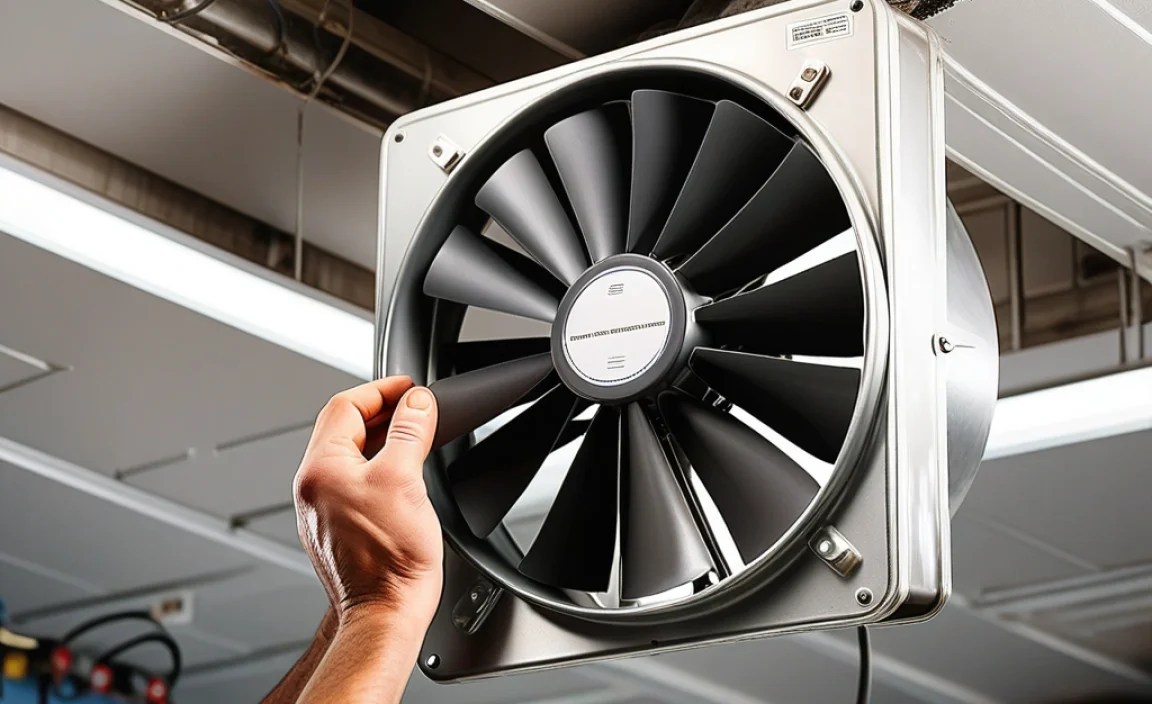
Before diving into any repair, safety is paramount. Exhaust fans are connected to your home’s electrical system, so it’s crucial to take proper precautions to avoid electric shock.
Turn Off the Power: This is the most important step. Locate the circuit breaker that controls your exhaust fan and switch it to the “OFF” position. To be absolutely sure, you can also try flipping the wall switch for the fan. If it doesn’t turn on after you’ve flipped the breaker, you’ve likely succeeded.
Use a Voltage Tester: Even after turning off the breaker, it’s wise to use a non-contact voltage tester near the fan’s wiring to confirm there’s no power.
Wear Safety Gear: Consider wearing safety glasses to protect your eyes from falling dust or debris, and gloves for a better grip and to keep your hands clean.
Ladder Safety: If your fan is high up, ensure your ladder is stable, placed on a level surface, and that you have someone to spot you if possible.
Troubleshooting Common Exhaust Fan Problems: Proven Fixes Step-by-Step

Let’s get to the heart of the matter – fixing that fan! We’ll start with the simplest issues and work our way up.
Problem 1: The Fan Won’t Turn On At All
This is perhaps the most frustrating issue. It could be a simple fix or a sign of a more complex problem.
Step 1: Check the Power Source
1. Circuit Breaker: As mentioned in safety, the first thing to check is your home’s electrical panel. Look for a tripped breaker (usually in the middle position or “OFF”). Flip it completely to “OFF” and then back to “ON.”
2. Wall Switch: Ensure the wall switch for the fan is functioning correctly. Sometimes, a loose wire or a faulty switch can be the culprit. If you suspect the switch, you might need to replace it, which involves more advanced electrical work and is best left to those comfortable with it or a qualified electrician.
Step 2: Inspect the Fan Motor
If the power is confirmed and the switch is working, the issue might be inside the fan housing.
1. Access the Fan: You’ll typically need to remove a cover or grille. This usually involves unscrewing a few screws or releasing spring-loaded clips.
2. Check for Obstructions: Once the cover is off, look for anything physically blocking the fan blades from spinning. Dust bunnies, insulation, or even stray debris can jam the motor.
3. Clean the Fan: If you find dust, gently clean the fan blades and motor housing with a soft brush or a vacuum cleaner’s hose attachment.
Step 3: Examine Wire Connections
1. Visual Inspection: With the power still OFF, visually inspect the wire connections to the motor. Look for any signs of burnt or loose wires.
2. Tighten Connections: If you see loose wire nuts, carefully twist them tighter onto the corresponding wires. If wires appear burnt or melted, this indicates a serious electrical problem, and you should stop and consult an electrician.
Problem 2: The Fan is Humming But Not Spinning
This often means the motor is getting power but is either jammed or has a failed capacitor.
Step 1: Re-check for Obstructions
1. Manual Spin Test: With the power OFF, try to gently spin the fan blades with your hand. Do they move freely? If they feel stiff or stuck, carefully remove any visible obstructions like dust or debris.
2. Clean Thoroughly: A build-up of grime can create enough resistance to prevent the motor from starting. Use a damp cloth (make sure it’s only damp, not wet!) to clean the blades and motor shaft. Ensure everything is dry before restoring power.
Step 2: Inspect the Fan Motor Mountings
Sometimes, loose motor mountings can cause the motor to vibrate and hum without engaging the fan blades.
1. Tighten Screws: Check the screws holding the motor to its housing and gently tighten them if they feel loose. Be careful not to overtighten, which could strip the threads.
Step 3: Consider a Bad Capacitor (Advanced)
Many fan motors use a start capacitor to give them the initial boost needed to spin. If this component fails, the motor might just hum.
Identifying the Capacitor: The capacitor is typically a small cylindrical component connected to the motor. It might have two or more wire terminals.
Replacement: If you suspect a faulty capacitor, you can purchase a replacement based on its specifications (usually printed on the capacitor itself). Replacing it involves disconnecting the old one and connecting the new one with the same wire configuration. Caution: Capacitors can store electrical charge even when power is off, so discharge it safely if you’re unsure. If you’re hesitant, this is a good point to call a professional.
Problem 3: The Fan is Making Grinding or Squealing Noises
These sounds usually point to worn-out bearings or something rubbing against the fan blades.
Step 1: Check for Obstructions & Loose Parts
1. Thorough Cleaning: Dust and debris can accumulate in nooks and crannies, causing parts to rub. Thoroughly clean the fan blades, motor housing, and any visible internal components.
2. Inspect Fan Blades: Ensure the fan blades themselves are not bent or damaged. A bent blade can hit the housing or other parts, causing noise.
3. Motor Mountings: As with the humming issue, check that the motor is securely mounted. Loose mountings can cause vibration and noise.
Step 2: Lubricate the Motor (If Applicable)
Some older fan motors have lubrication ports.
1. Locate Ports: Look for small oil holes or ports on the motor housing, often near the bearings.
2. Apply Lubricant: Use a few drops of electric motor oil (not WD-40 or regular motor oil, which can be too thick or attract dust). Only a small amount is needed. Allow the oil to penetrate for a few minutes before testing.
3. Modern Motors: Many newer exhaust fans have sealed bearings and do not require lubrication. Do not attempt to lubricate these.
Step 3: Assess Bearing Wear (Advanced)
If cleaning and lubrication don’t solve the grinding or squealing, the motor bearings might be worn out.
Diagnosis: This usually manifests as a persistent, loud grinding or squealing noise that doesn’t go away.
The Fix: Replacing motor bearings themselves is often difficult and not cost-effective for most DIYers. The more practical solution is usually to replace the entire fan motor assembly or the entire exhaust fan unit.
Problem 4: The Fan Runs But Isn’t Moving Much Air
This can be due to blockages in the ductwork or a worn-out fan blade.
Step 1: Inspect and Clean the Fan Blade
1. Check for Damage: Ensure the fan blade is not cracked, warped, or loose on the motor shaft. If damaged, it will need replacement.
2. Blade Condition: A heavily soiled blade can also reduce airflow. Clean the blades thoroughly.
Step 2: Check the Ductwork for Blockages
This is a common cause of poor airflow, especially if the fan has never worked effectively or if there have been recent renovations.
1. Locate the Duct Outlet: Find where the exhaust duct exits your home – typically on the roof or the side of the building.
2. Inspect for Obstructions: Check the exterior vent flap or cap. Is it stuck closed? Is there a nest, debris, or ice blocking it? Clear any obstructions carefully.
3. Internal Duct Inspection (Optional/Advanced): If the exterior vent is clear, the blockage might be further inside the duct. This can be difficult to access without specialized tools like a flexible inspection camera. For most homeowners, if the exterior vent is clear and the fan itself is clean, a persistent airflow issue might indicate a need for professional duct cleaning or a fan replacement.
Where to find authoritative information on duct cleaning: The Environmental Protection Agency (EPA) offers guidance on indoor air quality, which often includes recommendations for ventilation and duct maintenance: https://www.epa.gov/indoor-air-quality-iaq
Step 3: Ensure Proper Duct Size and Installation
Duct Size: Exhaust fans are designed to work with specific duct sizes. If oversized or undersized ducts were installed, it can impede airflow.
Smoothness: Crushed or kinked ductwork can also significantly reduce airflow. While inspecting the exterior vent, check the visible portion of the duct for damage.
When to Call a Professional
While many exhaust fan repairs are manageable for a DIYer, there are times when it’s best to enlist professional help.
Electrical Issues beyond your comfort level: If you see signs of burnt wires, smell burning plastic, or are uncomfortable working with electrical components.
Persistent Problems: If you’ve tried the steps above and the fan still isn’t working correctly.
Complex Installations: If your fan is part of a larger ventilation system or if you suspect issues with the ductwork beyond simple exterior blockages.
Lack of Confidence: If at any point you feel unsure or unsafe, it’s always best to call a qualified HVAC technician or electrician.
Tools You Might Need for Exhaust Fan Repair

Having the right tools makes any DIY job easier and safer. Here’s a list of common tools you might use when repairing an exhaust fan:
| Tool Name | Description | When to Use |
| :——————- | :———————————————————————————– | :—————————————————————————– |
| Screwdrivers | Phillips head and flathead, in various sizes. | Removing fan grilles, covers, and potentially mounting screws. |
| Ladder | A sturdy, stable ladder. | Reaching the exhaust fan, especially if it’s in the ceiling. |
| Non-Contact Voltage Tester | A handheld device that detects the presence of AC voltage. | Confirming the power is OFF before touching any wires. |
| Soft Brush / Vacuum | For dusting and cleaning fan blades and motor. | Cleaning accumulated dust and debris. |
| Pliers | For gripping and twisting wires or connectors. | Tightening wire nuts, manipulating wires. |
| Wire Strippers | To remove insulation from wires if necessary (rarely needed for basic fixes). | If wire connections need to be redone (advanced). |
| Safety Glasses | To protect your eyes from dust and debris. | Essential for all steps involving opening the fan housing. |
| Gloves | For better grip and protection. | Useful during cleaning and handling components. |
| Household Lubricant | Electric motor oil or a light-grade lubricant designed for motors. | Lubricating older fan motors if they have oil ports. |
| Replacement Parts | Screws, wire nuts, fan blade, capacitor, or motor if needed. | Using after diagnosing a faulty component. |
Pro Tip: Before you start, identify your specific exhaust fan model. Looking up the manual online can provide model-specific instructions for disassembly and component identification.
Understanding Your Exhaust Fan’s Components
Knowing the basic parts of your exhaust fan can demystify the repair process.
Housing: The outer casing that encloses the fan’s components.
Fan Blade (Impeller): The part that spins to move air.
Motor: The electric heart of the fan that drives the fan blade.
Grille/Cover: The visible part you see from the room, which protects the fan and often incorporates a light or humidity sensor.
Ductwork: The tube or pipe that carries the air from the fan outside.
Motor Mountings: Brackets and screws that secure the motor in place.
Capacitor (in some motors): A small component that helps start the motor.
Here’s a look at a typical exhaust fan assembly:
| Component | Function | Common Issues |
|---|---|---|
| Motor | Powers the fan blade’s rotation. | Burnout, bearing failure, humming without spinning. |
| Fan Blade | Pushes air out of the housing. | Bent, cracked, loose, obstructed by debris. |
| Housing | Contains and protects internal parts. | Can accumulate dust, can vibrate. |
| Electrical Connections | Transmits power to the motor. | Loose wires, burnt connections. |
| Capacitor (if present) | Provides initial torque to start the motor. | Failure leading to humming only. |
| Duct Outlet & Flap | Releases air outside; flap prevents backdrafts. | Blockages (nests, debris), stuck flap. |
Understanding these parts helps you pinpoint the source of the problem more effectively.
Frequently Asked Questions About Exhaust Fan Repairs
- Q1: How often should I clean my exhaust fan?
- It’s recommended to clean your exhaust fan at least once or twice a year. Regular cleaning helps prevent dust buildup, which can lead to motor strain and reduced efficiency.
- Q2: Can I replace just the motor if it fails?
- Yes, in many cases, you can replace just the motor. However, it’s often more cost-effective and sometimes easier to replace the entire fan unit, especially if the motor is old or hard to source. Check your fan’s model for availability.
- Q3: My fan smells musty. What could be wrong?
- A musty smell usually indicates a buildup of mold or mildew within the fan housing or the ductwork. This can happen if the fan isn’t effectively venting moisture. Thorough cleaning of the fan and checking the ductwork for blockages is a good first step. If the problem persists, the ductwork might need professional cleaning.
- Q4: Is it safe to spray cleaner directly into the exhaust fan motor?
- No, never spray cleaner directly into the motor. Use a damp cloth to clean blades and housing. If the motor itself has grime, a small amount of compressed air can help dislodge dust, but avoid moisture. Always ensure the power is OFF.
- Q5: My exhaust fan is very loud. Is it broken?
- Not necessarily broken, but a loud fan could indicate internal dirt buildup, worn bearings, or a loose component. Cleaning, checking for obstructions, ensuring motor mountings are tight, and potentially lubricating (if applicable) can help reduce noise. If the noise is grinding or squealing, it might be a sign of bearing wear, requiring motor replacement.
- Q6: Can I repair my exhaust fan if it has a light and/or a heater?
- Yes, you can still repair the fan function. However, if the light or heater also has issues, those components may require separate troubleshooting and repair, which can add complexity. For safety reasons, if you are not comfortable with electrical work involving integrated components like lights or heaters, it’s best to consult a professional.
Conclusion: Enjoying a Fresh and Functional Home
Repairing a noisy or non-functional exhaust fan doesn’t have to be a daunting task. By following these step-by-step guides, prioritizing safety, and using the right tools, you can tackle many common issues yourself. Whether it’
